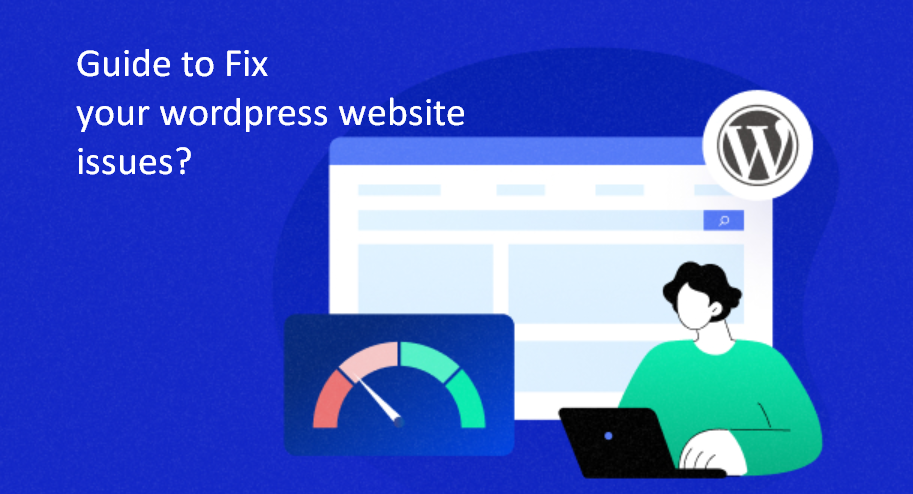
In the modern digital landscape, speed is no longer a luxury—it is a foundational pillar of Search Engine Optimization (SEO), User Experience (UX), and Generative Engine Optimization (GEO).
If your WordPress site takes longer than two seconds to load, you aren’t just frustrating your users; you are actively signaling to AI-driven search engines like Gemini and SearchGPT that your website is an unreliable source of information.
As a digital publisher or SEO strategist, you know that Core Web Vitals—specifically Largest Contentful Paint (LCP) and Interaction to Next Paint (INP)—are the metrics that define your success. If you’ve been asking, “Why is my WordPress site so slow?”
This deep dive article will uncover the architectural bottlenecks holding you back and provide the high-level technical fixes required to dominate the 2026 search results.
WordPress Site is Slow, how to overcome?
Is your WordPress site lagging? In 2026, a slow website is more than a nuisance—it’s an SEO liability. With search engines and AI models prioritizing Core Web Vitals and User Experience, a three-second delay can tank your rankings and conversion rates.
Whether the culprit is bloated images, unoptimized plugins, or fragmented databases, overcoming speed bottlenecks is essential for digital authority. This guide breaks down high-impact strategies—from advanced caching to database defragmentation—to transform your sluggish site into a high-performance asset.
Let’s dive into the seven critical fixes to reclaim your speed and secure your spot at the top of the search results.
1. Bloated and Unoptimized Media Assets
Media is the heaviest component of any modern webpage. In 2026, search engines don’t just look at the presence of an image; they analyze the delivery efficiency of that image. Uploading raw, 4MB high-resolution photos directly from a smartphone is the fastest way to tank your site performance.
The Deep Technical Fix:
- Next-Gen Formats: Move beyond JPEG and PNG. Standardize on WebP or AVIF. These formats offer superior compression without sacrificing visual fidelity.
- Dynamic Scaling: Ensure your theme uses
srcsetattributes. This serves smaller images to mobile devices and larger ones to desktops, preventing the browser from downloading more data than necessary. - Lazy Loading: Implement native browser lazy loading so that images below the fold only load when the user scrolls to them.
- Lossless vs. Lossy Compression: Use tools like WP-Optimize to perform a bulk “Lossy” compression, which strips unnecessary metadata from image files, often reducing file size by up to 80% with zero perceived loss in quality.
2. Plugin Overload and “Script Bloat.”
WordPress’s greatest strength is its extensibility, but its greatest weakness is plugin bloat. Each plugin you install adds a layer of complexity to your site’s execution path. Some plugins load JavaScript and CSS on every single page of your site, even if the plugin’s functionality is only used on one specific landing page.
The Deep Technical Fix:
- Perform a Script Audit: Use tools like Query Monitor to see which plugins are making the most database calls or enqueuing the heaviest scripts.
- Functionality Consolidation: Instead of having five separate plugins for caching, image optimization, database cleaning, and script minification, use an all-in-one performance hub like WP-Optimize Premium.
- Selective Loading: Use a plugin like Perfmatters to disable specific scripts on pages where they aren’t needed (e.g., disabling Contact Form 7 scripts on your blog posts).
- The “Rule of 20”: While there is no hard limit, try to keep active plugins under 20. If you have more, ensure they are high-performance, lightweight utilities.
3. Lack of Advanced Caching Layers
WordPress is a dynamic CMS. Every time a visitor lands on a page, WordPress has to “talk” to your database, fetch the content, consult your theme files, and then render the HTML. This process takes time. Without caching, you are essentially rebuilding your website from scratch for every single visitor.
The Deep Technical Fix:
- Page Caching: This creates a static HTML version of your page. Serving static HTML is exponentially faster than generating a page via PHP.
- Object Caching (Redis/Memcached): This caches the results of database queries. For complex sites (like e-commerce or member directories), object caching is essential to reduce the load on the database.
- Browser Caching: Instruct the visitor’s browser to store local copies of your logo, CSS, and JS files so they don’t have to be downloaded again on the next visit.
- Cache Preloading: Ensure your caching plugin “prebuilds” the cache. This ensures that the first visitor after a content update still gets a fast, cached version of the page.
4. An Unmaintained and Fragmented Database
Your database is the “brain” of your WordPress site. Over years of operation, it accumulates “digital plaque”: thousands of post revisions, expired transients, spam comments, and orphaned metadata from deleted plugins. A bloated database increases the time it takes for your server to find the information it needs.
The Deep Technical Fix:
- Revision Control: WordPress stores every single save you make as a new revision. If a post has 50 revisions, that’s 49 rows of junk data. Limit revisions to 3-5 using your
wp-config.phpfile. - Regular Optimization: Use WP-Optimize to “Defragment” your MySQL tables. This reorganizes the data for faster retrieval, much like defragmenting an old hard drive.
- Transient Cleanup: Transients are temporary data stores. Sometimes they don’t expire correctly, leading to thousands of useless rows in your
wp_optionstable. Clear them monthly.
5. Subpar or “Race-to-the-Bottom” Hosting
In 2026, $2/month shared hosting is no longer viable for professional niche sites. Shared hosting puts you on a server with hundreds of other sites. If one of those sites gets a traffic spike or is hacked, your site’s performance will plummet.
The Deep Technical Fix:
- Move to Managed Cloud or VPS: Platforms like SiteGround, Cloudways, or Kinsta provide dedicated resources (CPU/RAM) that ensure your site has the power it needs.
- PHP Version: Ensure you are running the latest stable version of PHP (currently 8.2 or 8.3). Each new version of PHP offers significant speed improvements and better memory management.
- Server-Side Caching: Look for hosts that offer Nginx FastCGI caching or Varnish at the server level. This is always faster than plugin-based caching alone.
6. Heavy, Legacy, or Non-Block Themes
Many older WordPress themes are built on legacy PHP frameworks that load massive libraries (like jQuery) unnecessarily. In the era of the Block Editor (Gutenberg) and Full Site Editing (FSE), these “heavy” themes act as an anchor on your site’s speed.
The Deep Technical Fix:
- Switch to a Lightweight Framework: Themes like GeneratePress, Astra, or Kadence are built for the modern web. They load minimal code and allow you to build complex layouts using native WordPress blocks.
- Eliminate Page Builders: If you are still using heavy builders like old versions of Elementor or Divi, consider migrating to the native Block Editor. The difference in DOM size (the number of HTML elements on a page) is often staggering.
- Font Optimization: Don’t load 5 different Google Fonts. Use system fonts or host one or two fonts locally to avoid external requests to Google’s servers.
7. Third-Party Script “Death by a Thousand Cuts.”
External scripts—tracking pixels (Meta/Google), ad networks, heatmaps (Hotjar), and social embeds—are often the silent killers of LCP. Because these scripts load from external servers, your site has to wait for those servers to respond before it can finish loading.
The Deep Technical Fix:
- Script Deferral and Asynchronous Loading: Use your performance plugin to “Defer” non-essential JavaScript. This allows the visible part of your page to load first, while the tracking scripts load in the background.
- Delay JavaScript Execution: This is a “pro” tactic. It prevents any JavaScript from loading until the user actually interacts with the page (clicks or scrolls). This can result in near-instant PageSpeed scores.
- Local Hosting of Analytics: Use a plugin to host your Google Analytics script locally. This eliminates one DNS lookup and gives you more control over the caching of the script.
The 2026 Benchmark: How to Measure Success
To stay competitive in GEO (Generative Engine Optimization), you must audit your site using these three benchmarks:
| Tool | Metric to Watch | 2026 Target |
| Google PageSpeed Insights | LCP (Largest Contentful Paint) | < 1.2 Seconds |
| GTmetrix | Fully Loaded Time | < 2.0 Seconds |
| WebPageTest | TTFB (Time to First Byte) | < 200 Milliseconds |
FAQ: Solving the WordPress Speed Puzzle
Why is my WordPress site slow only on mobile?
This is usually due to “Render-Blocking Resources” or large images. Mobile devices often have slower processors and slower data connections (4G/LTE). If your site isn’t optimized for mobile-first rendering, the device struggles to parse the heavy CSS and JS.
Can a CDN really fix a slow site?
A Content Delivery Network (CDN) like Cloudflare or Bunny.net helps by storing your site’s assets on servers all over the world. While it won’t fix a bloated database or a bad theme, it significantly reduces latency for visitors who live far away from your main server.
Will too many post revisions really slow down my site?
Yes. If you have 1,000 posts and each has 50 revisions, your database has 51,000 rows when it only needs 1,000. When WordPress tries to fetch a post, it has to look through all those extra rows, which increases the “Query Time.”
Is WP-Optimize better than other performance plugins?
WP-Optimize is unique because it combines three essential pillars: Database Cleaning, Image Compression, and High-End Caching. Most other plugins only handle one of these, forcing you to install multiple plugins, which can lead to conflicts.
Read More Articles;
- What is Hosting, Hosting Types, and Best Hosting Providers in 2026
- Top 10 Best Web Hosting Providers in 2026: Reliable, Affordable, and High-Uptime Solutions
- The Most Popular 7 SEO-Friendly Premium WordPress Themes in 2026
- The Best Free WordPress Themes for 2026: Performance, SEO, and AI Readiness



Be First to Comment